|
See what's new in IGetMail Version 5.1.
On your schedule
You specify how often you want IGetMail to check for new messages
|
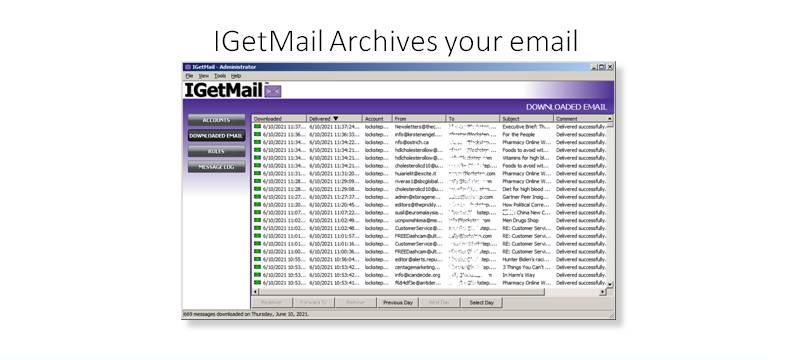
Archives
Downloaded email is stored for 30 days so that you can redeliver email if you
need.
|
Lightweight
IGetMail uses very little memory or resources so you can install on
busy servers.
|
Safe
IGetMail has been in use at tens of thousands of companies for over
20 years.
|
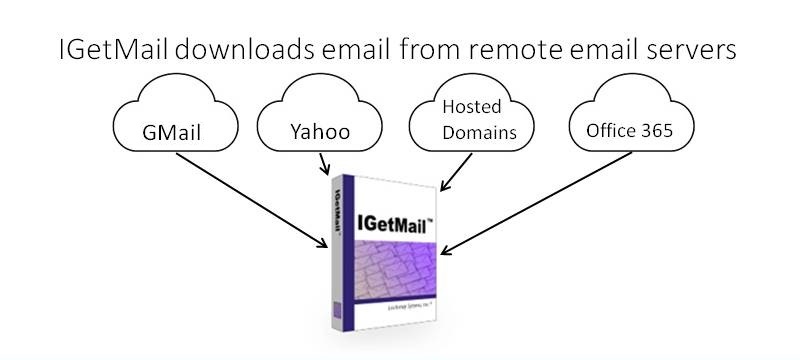
IGetMail is a Windows utility that automatically downloads POP3 email
messages from remote servers and delivers your email to a single SMTP
account.
When you have a Microsoft Exchange Server AND you are using an Internet Service Provider (ISP) to host your company’s
Internet domain or website, you will experience an email routing problem. Your employees’
incoming email messages are sent to the ISP’s
email servers; but Microsoft Exchange Server does not automatically fetch mail from
remote servers. So, your messages are stored on your ISP’s servers until you pull the messages down.
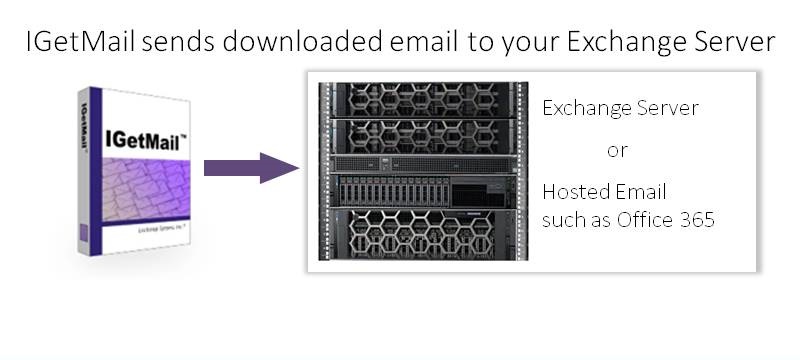
IGetMail solves this email routing problem for you. It automatically connects to the ISP, retrieves, and forwards
email messages to your local Exchange Server. IGetMail runs according to a time schedule that you define
- checking for mail as fast as every 20 seconds. Now your Exchange Server can complete its job and route your email accordingly.
Does your company have more than one Internet domain? Maybe you have several and you need to download all the
email sent to not just one, but several Internet domains. Or do you have users set up
with individual accounts at third party email suppliers? You can use IGetMail to download this email that is stored
on remote servers and have it automatically sent to your Exchange Server.
IGetMail supports all versions of Exchange from Exchange 2003 and higher.
IGetMail uses SMTP to send email to Exchange so it works with all versions of
Exchange.
What does IGetMail do for you?
IGetMail systematically performs the following tasks:
- Checks for new emails at multiple remote servers as fast as every 20
seconds. IGetMail initiates connections with one or multiple remote
servers to see if you have any new messages. You can define different
schedules to check for new incoming email. IGetMail can pull email from
multiple accounts simultaneously so you get your email fast.
- Downloads & stores your new email messages. When IGetMail
finds new messages, it downloads them from the remote email servers.
IGetMail stores a copy of these messages in order to deliver them
immediately to your Exchange Server. And IGetMail can replay messages if your Exchange Server experiences any
interruption in service.
- Sorts & sends new messages to your local SMTP / Exchange Server.
IGetMail can sort the email before delivery to your local Exchange Server.
This is important because Exchange Server requires that the messages be
presorted. After sorting, IGetMail sends the messages to your Exchange
Server which in turn, delivers them to the appropriate email accounts.
IGetMail solves these common email problems
- Your incoming email stops and is held at your Hosting Company or ISP.
Now you need to pull your email from the Hosting Company or ISP to your
Exchange Server so it can be delivered to the correct recipients. When
you use a Hosting Company to host your Internet Domain, all email addressed
to your Internet Domain, goes to the company hosting your domain.
IGetMail logs into your account at the hosting company and automatically
pulls your email from the hosting company to your Exchange Server for
distribution. Exchange Server does not login to other email servers to
pull email, and as a result, you need a third-party tool such as IGetMail!
- Email Server refuses to Relay Email - or - Relay Denied Messages.
Relaying is the process of sending email to an email server for which that
server sends the mail on to another server. Since spammers have tried to
find email servers that will forward email on their behalf (thus hiding or
disguising their true identity), email server such as Exchange Server, use
restrictions on relaying. Exchange considers anonymous connections as
potential problems and as a result, Exchange may refuse to accept legitimate
email if the email is sent to it anonymously. To solve this problem,
Exchange provides authenticated SMTP login which provides trust between
Exchange and the sender. IGetMail supports SMTP authentication so that it
can be trusted by Exchange to send email to Exchange Servers.
Download IGetMail and install the 15-day, fully-functional
trial software
on your Microsoft Exchange Server!
|