|
IGetMail Automatically Downloads email and forwards your email to your Exchange Server or remote SMTP Server |
IGetMail - Program Screen ShotsIGetMail Version 4 and 5 Main Panels
IGetMail's Preferences
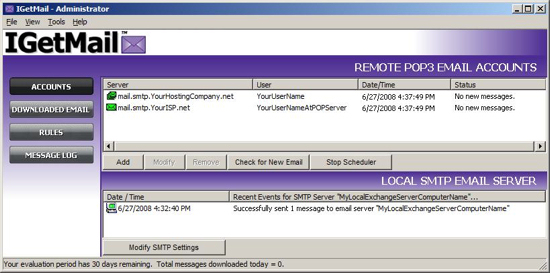
The IGetMail Accounts PanelUse the Accounts Panel to manage your POP Accounts and Exchange Server. You can also monitor the real time activity as IGetMail pulls your email from the remote email servers and sends it to your Exchange Server for distribution to the appropriate recipients.
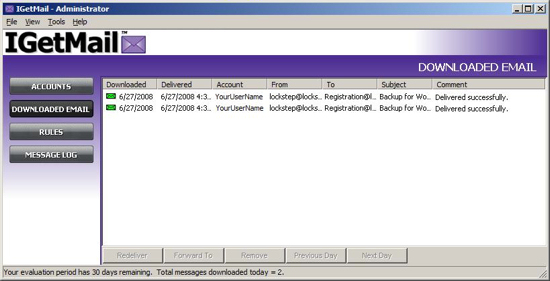
The IGetMail Downloaded Email PanelReview the email that IGetMail has downloaded in the Downloaded Email Panel. And, if needed, you can redeliver the mail too.
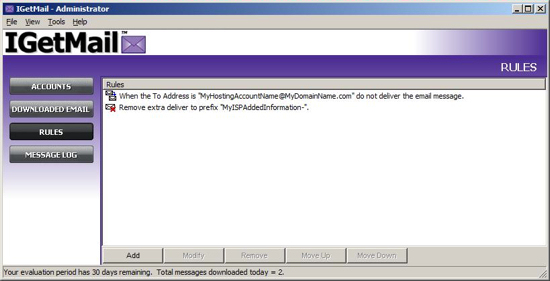
The IGetMail Rules PanelUse the Rules Panel to add, modify, or delete rules that you want IGetMail to apply to the downloading and processing of your email.
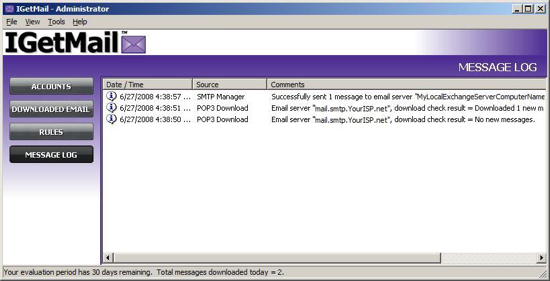
The IGetMail Message Log PanelThe Message Log shows you recent activity that IGetMail has performed.
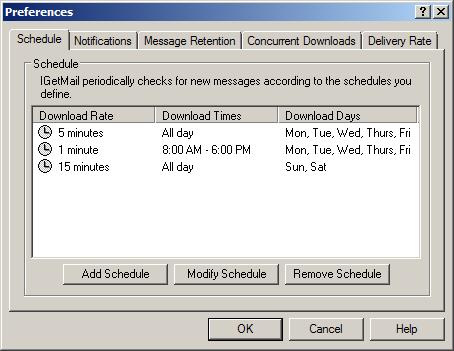
ScheduleReview the schedules that IGetMail is following to download your email.
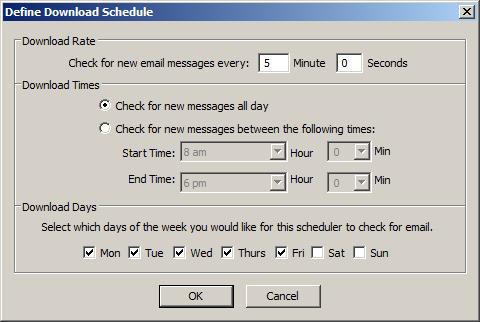
Add ScheduleHere's the dialog that you use to set up a new download schedule in IGetMail.
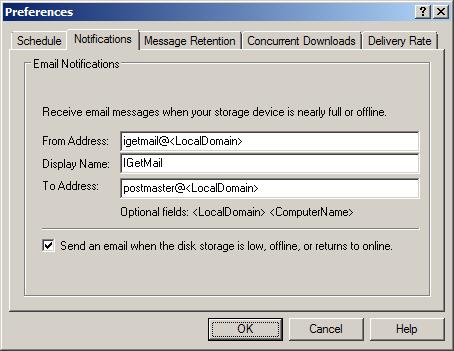
NotificationsMake sure IGetMail can send you program notifications on the Notifications dialog.
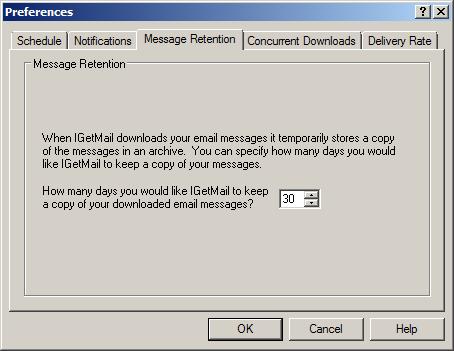
Message RetentionSpecify the number of days that IGetMail will hold a copy of your messages.
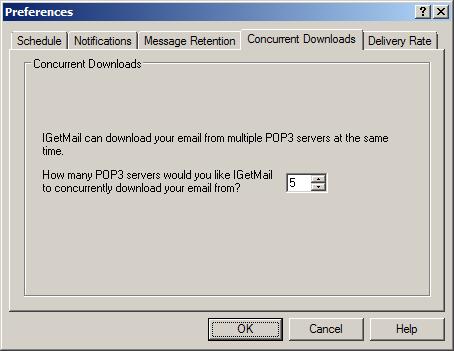
Concurrent DownloadsSpecify the number of servers that IGetMail will concurrently download your email from at one time.
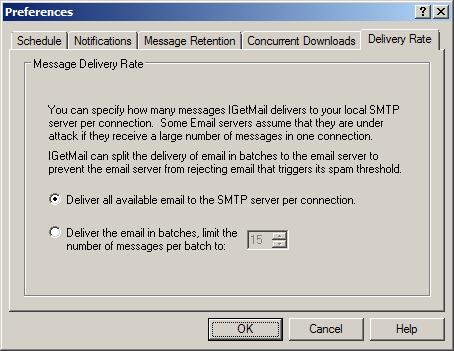
Delivery RateSpecify the number of messages that IGetMail will deliver to your Exchange Server per connection.
|
Everyday, thousands of corporations, non-profits, and Government agencies use IGetMail software to download their email from remote Servers! You can too! |
|

|
|